Games
Battlefield on Steam: BF6 and 2042 — editions, formats and regions on the marketplace
Battlefield 6, 2042 and 4 listings on the marketplace: Standard, Phantom and Premium editions, upgrades, Steam key vs gift formats and regions.
On this page
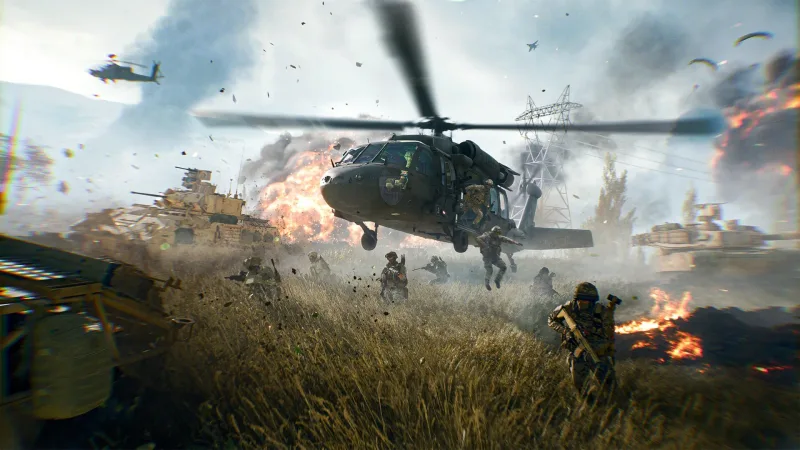
Battlefield is EA’s series of large-scale multiplayer shooters: massive infantry and vehicle battles, destructible environments and a class system. From the current entries, the marketplace carries Battlefield 6 by Battlefield Studios and EA and the earlier Battlefield 2042 by DICE, and from the series’ classics, Battlefield 4 in the Premium edition. The listings differ in edition (Standard, the extended Phantom or Premium with all expansions), delivery format and Steam account region. Here is how to read them and avoid mistakes at checkout.
Editions and what they include
Per the listings, Battlefield 6 comes in two editions plus separate add-ons:
- Standard — the base game: campaign and multiplayer. The lots Battlefield 6 — RU + world, Battlefield 6 (KZ/UA/CN and more) and Battlefield 6 with auto-delivery all offer the standard edition.
- Phantom — the extended edition. In the Battlefield 6 Standard / Phantom listing the edition is chosen right in the options: Standard or Phantom.
- Upgrade to Phantom — add-ons installed on top of the base game. Battlefield 6 — Phantom upgrade is the edition upgrade, while Battlefield 6 — Phantom Upgrade bundle is a set of three add-ons (Phantom Content, Phantom Pack and Phantom Upgrade). Both upgrades require Battlefield 6 to already be on your Steam account.
Battlefield 2042 is represented by a single lot — Battlefield 2042, the full game with the All-Out Warfare, Hazard Zone and Portal modes and battles for up to 128 players. The contents of a specific edition are always worth confirming on the game’s Steam page.
From the series’ earlier entries there is Battlefield 4 Premium Edition — DICE’s classic military shooter. Per the listing, the Premium edition includes the base game plus all major expansions with extra maps, modes and gear. The activation region is chosen in the options (Russia, Belarus, Kazakhstan, Ukr. UA or other CIS countries) and affects the price.
Key or gift, and the region
Digital Steam games arrive in two formats. A key you activate yourself: “Activate a Product on Steam”, enter the code, and the game lands in your library. A Steam gift works differently: a bot adds you as a friend and sends the game as a present to the profile you provide. The gift mechanics — friend request, profile link, accepting the present — are covered in our guide on software from Steam as gifts.
Important: per the listings, all eight Battlefield offers here are Steam gifts, not keys. A bot delivers them automatically, usually within a few minutes, around the clock. Once you accept the gift, the game stays in your library.
The region in these lots is a neutral restriction of the item: an offer is valid for accounts with a specific Steam store country, and the gift activates on accounts of that region. Your account’s region is shown in its settings; before paying, pick the option that matches it. This is not a way to “buy through another region” — if the account country does not match the chosen option, the bot cannot send the game.
Listings at a glance
| Product | Edition | Format | Account region |
|---|---|---|---|
| Battlefield 4 Premium Edition | Premium (base + all DLC) | Gift | Russia, Ukr. UA, Kazakhstan, Belarus, CIS (in options) |
| Battlefield 2042 | Full game | Gift | Russia, Ukr. UA, Kazakhstan, Belarus, CIS |
| Battlefield 6 — RU + world | Standard | Gift | Russia, Ukr. UA, Kazakhstan, Belarus, CIS, Turkey, Argentina |
| Battlefield 6 Standard / Phantom | Standard or Phantom | Gift | Russia, Ukr. UA, Kazakhstan, Belarus and CIS |
| Battlefield 6 (KZ/UA/CN) | Standard | Gift | Ukr. UA, China, Kazakhstan, Belarus, Turkey, Argentina, CIS, Europe |
| Battlefield 6 with auto-delivery | Standard | Gift | Ukr. UA or Kazakhstan |
| BF6 — Phantom upgrade | Upgrade to Phantom (DLC) | Gift | Russia |
| BF6 — Phantom Upgrade bundle | Set of 3 Phantom DLCs | Gift | Russia, Kazakhstan, Ukr. UA, CIS and more |
A few card-level differences worth noting: Battlefield 6 — RU + world has no Russian localization; Battlefield 6 (KZ/UA/CN) has no Russia-region option; and both Phantom upgrades are add-ons that will not activate without the Battlefield 6 base game on the account.
What to check before paying
- Account region. The store country in your Steam account settings must match the region chosen in the option. It is an item restriction, not a way to save money through another region.
- Edition. Standard or Phantom; if you take an upgrade, make sure the Battlefield 6 base game is already on the account.
- Format — gift. All these lots arrive as gifts: you will need your Steam profile link and to accept the bot’s friend request. The mechanics are in our guide on software from Steam as gifts.
- Platform. Battlefield uses the EA app to launch; make sure your EA account and the app are set up, and check the system requirements on the game’s Steam page.
- Reviews and seller terms. Real activation experience and refund rules are on the product page. How a marketplace purchase differs from buying direct is in marketplaces versus buying direct; if your account was involved in the order, see account security after purchase.
Bazelio is a storefront: payment is taken by the seller on the payment platform, and the seller handles gift delivery and support. General selection principles live on the “How to choose” page, the refund process on the “Refunds and disputes” page, and other games are in the PC Games category.