Video
Filmora and VSDC: video editor by key or via account — which to choose
Filmora vs VSDC on a marketplace: license key or account access, how the Filmora 14 and 15 plans differ from VSDC Pro keys — the catalog offers explained.
On this page
Video editors are sold on a marketplace in two very different formats, and the difference matters more than it seems. VSDC Pro follows the classic scheme: after payment you receive a license key, download the program from the developer’s site and activate it on your own PC. Filmora works differently: what you buy is access to an account with an already activated subscription or license — the seller hands over a login and password, and you work in the editor under that account. Both editors target Windows. Let’s sort out which editor suits whom and how the six catalog offers differ.
Which editor for whom
Judging by the product cards, the two editors address different audiences:
- Filmora (Wondershare) is an intuitive editor for bloggers and content creators: timeline editing, effects, transitions, titles, audio work, screen recording and a set of AI tools. Its strength is ready-made resources — effects, plugins and templates.
- VSDC is built for “projects of any complexity”: a non-linear timeline, support for formats up to 4K, colour grading, blend modes and filters, masking, motion tracking, stabilisation and screen recording, with hardware acceleration to speed up processing.
If you want quick clip editing with effects out of the box, look at Filmora; if non-linear editing, 4K and colour grading matter, look at VSDC.
VSDC Pro: a one-year license key
Both VSDC offers are activation keys with instant delivery — no account handover involved:
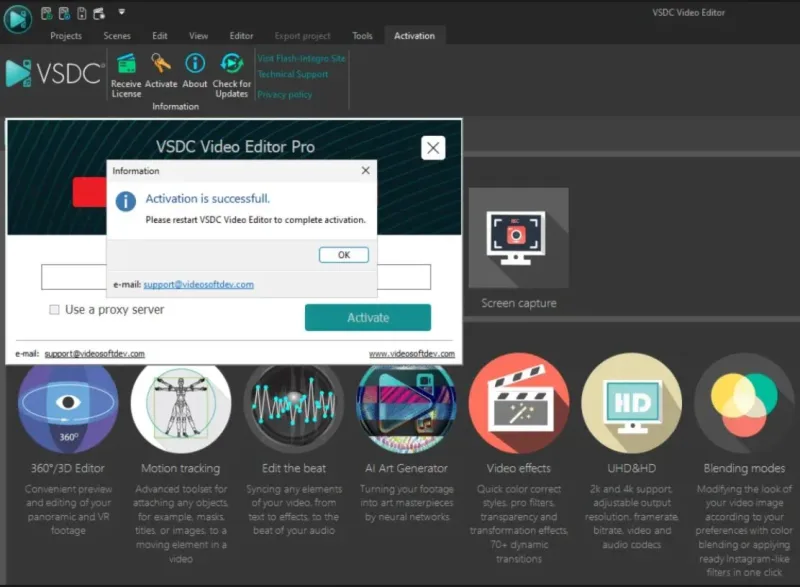
- VSDC Video Editor Pro — license key for 1 year — a global license: it activates in any country, and any Windows version is supported. The code is delivered automatically right after payment, and the program is downloaded from the developer’s site in its latest version. The key is single-use — activate it within 14 days of purchase.
- VSDC Video Editor PRO 10 — one-year license — a key for the PRO 10 version with the full feature set: 4K, colour grading, masks, stabilisation, screen recording and video capture. The key arrives right after payment in your browser and by e-mail; the license runs for one year from activation.
Filmora 14: access to an account with a subscription
Here the format is different, and it’s worth knowing upfront: you are buying not a key but sign-in data for an account with an activated subscription. You may not change the password or other account data — that is the condition of the seller’s warranty. How to handle the account format safely is covered in the guide “Account security after purchase”.
- Filmora 14 for Windows — account with a one-year subscription — a one-year subscription with effects, plugins and other assets. An important detail from the card: the subscription term depends on the purchase date and is usually around 300 days or less. The seller’s warranty covers the full subscription term.
- Filmora 14 for Windows — access with a 365-day warranty — access in login:password form with a 365-day working warranty from the seller. Inside: video editing, work with photos and audio, screen recording and thousands of ready-made assets. The seller adds a separate warning: do not link personal cards or data to the account.
Filmora 15: lifetime plan, AI credits and Creative Assets
Filmora 15 in the catalog is also account-based, but with different plans:
- Filmora 15 + AI credits — watermark-free access — export without a watermark plus AI credits for the editor’s AI tools. The variants: a lifetime plan with no watermark (Windows) or a lifetime plan with AI credits. Login data arrives after payment in your browser and by e-mail; do not change it, including the password — that may deactivate access. The platform (Windows/Mac) and the credit set depend on the chosen plan.
- Filmora 15 — account with a Perpetual Plan — the Perpetual Plan is a one-time license for the current version of the program, without upgrades to future releases. Optionally you can pick a variant with Creative Assets — a library of effects, templates and plugins inside the editor (variants differ by the library’s validity period). The account is shared: you may not change the password or the linked e-mail. And don’t confuse the apps: Filmora Pro and Filmora 15 are different products.
Comparing the offers
| Offer | Format and term | Key difference |
|---|---|---|
| VSDC Video Editor Pro | Key, 1 year | Global license, any Windows version |
| VSDC Video Editor PRO 10 | Key, 1 year from activation | 4K, colour grading, masks, stabilisation |
| Filmora 14 (subscription) | Account, around 300 days | Effects and plugins of the yearly plan |
| Filmora 14 (365-day warranty) | Account, 365-day warranty | Login:password format |
| Filmora 15 + AI credits | Account, lifetime plan | No watermark, AI credits |
| Filmora 15 Perpetual Plan | Account, one-time license | No upgrades; Creative Assets options |
What to check before paying
- Delivery format. VSDC is a license key; Filmora is account access (login and password). In the account format you may not change the password or sign-in data — that is the seller’s warranty condition.
- Term. VSDC licenses run for one year (one of the offers requires activating the key within 14 days). The Filmora 14 subscription term depends on the purchase date — usually around 300 days. The Filmora 15 Perpetual Plan is a one-time license for the current version without upgrades.
- Platform. All the offers target Windows; for Filmora 15 with AI credits the platform depends on the chosen plan — confirm before paying.
- Product variant. Filmora 15 plans differ in what they include (AI credits, Creative Assets) — pick the right variant at checkout.
- Seller terms. Warranty and support are provided on the seller’s terms — read the card and buyer reviews.
If your projects go beyond hobby editing, see the professional alternative in the guide “DaVinci Resolve Studio”. And AI tools for video — from generation to smart editing — are covered in the guide “AI video editing”.
Bazelio is a storefront: payment and delivery happen at the seller on the payment platform, and disputes are handled by the platform’s rules. All programs and licenses are collected in the Software & Licenses category.