Security
Dr.Web by key: Security Space, mobile editions and Katana — how to choose
How Dr.Web keys work: Security Space for PC, mobile editions and Katana — choosing the edition, term and device count, and activating the serial number.
On this page
Dr.Web on a marketplace usually means a serial registration number in the form XXXX-XXXX-XXXX-XXXX: after payment the code arrives in your browser and by e-mail, you register it on the Dr.Web website and download the installer (it is not bundled with the key). The brand’s key quirk: the licence term starts not at purchase but at the moment the serial number is registered — so a key you bought can wait until the day you actually need it. Let’s sort out the catalog offers: Security Space for PC, a renewal, mobile editions and the Katana proactive module.
How a Dr.Web key is activated
The steps are the same for almost every product: receive the serial number, register it on the Dr.Web site, download the distribution for your system and activate protection. Security Space licences for PC cover Windows, macOS and Linux — moving from one system to another does not require a new key. Some sellers add bonus days when you renew and enter your old key — that is a condition of a specific product card, not a general rule.
Security Space for PC: how many computers and for how long
The base options differ mainly by the number of PCs and the term:
- Security Space for 1 PC for 1 year — the standard single-computer option: Windows, macOS or Linux, with an OS switch allowed within the licence.
- Security Space for 2 PCs for 1 year — one serial number covering two computers at once; note this is a new licence, not a renewal.
- Security Space for 1 PC or Mac for 2 years — the same format with a doubled term for a single device.
- Two serial numbers, 2 years each — a flexible combo: protect two PCs for 2 years, or activate both numbers on one computer and stretch protection to 4 years.
- Dr.Web for 5 PCs for 1 year — the multi-computer household option; the seller advises removing any previously installed antivirus before activation.
- Security Space keys for PC on short terms — a rarity among antiviruses: protection for 1, 3 or 6 months, plus a 1-year Bastion variant (it activates as regular Security Space). These keys cover a PC only, with no mobile device.
The PC-plus-phone bundles stand apart: a key for 1 PC and 1 mobile device for 1 year and the same bundle for 2 years. Both are Region Free, and the mobile device is protected under the same serial number; per the first card, renewing an existing licence adds an extra 150 days.
A renewal and a key file: two special formats
The renewal for 4 PCs for 1 year is exactly that — a renewal: registering it requires a valid prior Dr.Web licence for at least 4 PCs, and without one the number cannot be activated. If you have no active licence, pick a new one from the list above.
Security Space 12 with a key file works differently: instead of a serial number you receive a .key file for version 12.5 on Windows. The term here is fixed — it runs until 12 February 2026 regardless of when you buy, so the later the purchase, the fewer days remain. The seller openly labels the licence type Shareware (the keys are public) — a budget try-it-out format rather than a personal licence.
Dr.Web for Android and mobile devices
- Dr.Web for Android, 1 year, 1 device — an antivirus for phones and tablets with real-time protection, Region Free; the code suits both a first activation and a renewal.
- Dr.Web Mobile Security Space — variants of 1 device for 3 years, 1 device for 1 year and 2 devices for 1 year; it protects phones, tablets and smart TVs, and the serial number is registered on the Dr.Web site.
- Security Space for mobile devices — 1 or 5 devices for 1 year; supports Android 4.4–15 and Android TV 5.0+, including Android-based consoles.
Dr.Web Katana: a companion, not a replacement
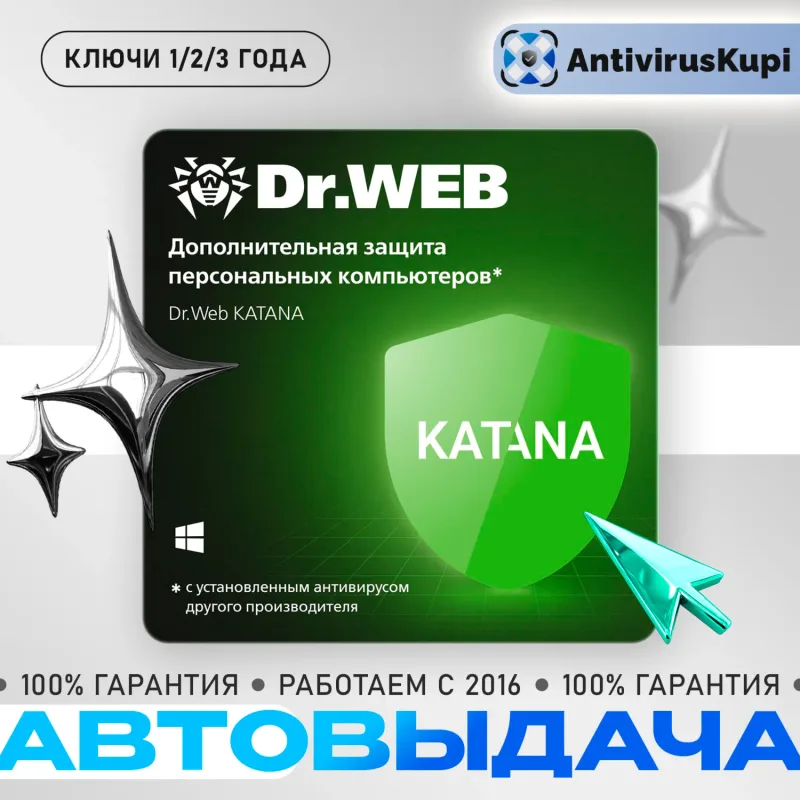
Dr.Web Katana is a signatureless proactive-protection module, and that matters before you buy: Katana does not replace a full antivirus — it works alongside one, detecting new and still-unknown threats by process behaviour, including attacks through zero-day vulnerabilities. If you have no main antivirus yet, start with Security Space; Katana is the second layer, sold for 1 PC for 1, 2 or 3 years.
Comparing the offers
| Offer | Format/term | Key difference |
|---|---|---|
| Security Space, 1 PC | Serial number, 1 year | Windows, macOS or Linux |
| Security Space, 2 PCs | One number, 1 year | Two computers at once |
| Security Space, 1 PC/Mac | Serial number, 2 years | Doubled term |
| 2 numbers, 2 years each | Two numbers, 2 years each | 2 PCs for 2 years or 1 PC up to 4 |
| Dr.Web, 5 PCs | Serial number, 1 year | Most devices |
| PC keys, short terms | Key, 1 month to 1 year | Terms from a month, Bastion variant |
| 1 PC + 1 mobile, 1 year | Key, 1 year | Mobile protection included, Region Free |
| 1 PC + 1 mobile, 2 years | Key, 2 years | Long term plus a phone |
| Renewal, 4 PCs | Renewal number, 1 year | Requires a valid 4-PC licence |
| Security Space 12, key file | .key file, to 12 Feb 2026 | Fixed end date |
| Dr.Web for Android | Key, 1 year, 1 device | Phones and tablets |
| Mobile Security Space | Key, 1–3 years | 3-year variant, smart TVs |
| Security Space for mobile | Number, 1 year | 1 or 5 devices, Android TV |
| Dr.Web Katana | Key, 1–3 years | Proactive module, not an antivirus |
What to check before paying
- The term starts at registration. For most products the licence begins when the serial number is registered on the Dr.Web site, not at purchase. The exception is the version 12.5 key file with a fixed end date of 12 February 2026.
- New licence or renewal. The 4-PC renewal requires a valid prior licence; the other offers are new licences, and some can also be used for renewing under the terms of their cards.
- Device count and platform. For PC count the computers (1, 2, 4, 5); for mobile check the device count and Android version; the PC-plus-mobile bundles cover both with a single number.
- Katana’s role. It is a companion to your main antivirus, not a standalone replacement — for base protection you need Security Space or an equivalent.
- The seller’s terms. Warranty, replacement and support are on the seller’s terms — read the card and buyer reviews before paying.
Dr.Web gets a brief mention in the overview guide “Antivirus by key”, which also compares ESET and Malwarebytes. For a similar brand deep-dive see “Kaspersky by key” covering the Standard, Plus and Premium editions.
Bazelio is a storefront: payment and key delivery happen at the seller on the payment platform, and disputes are handled by the platform’s rules. All protection software is collected in the Antivirus & Security category.