Steam
How to buy a CS2 skin: wear, StatTrak and your trade URL
A practical Counter-Strike 2 skin guide: Factory New, Minimal Wear and other exteriors, what StatTrak does, and how to receive a Steam trade offer.
On this page
The same Counter-Strike 2 skin can appear on several product pages: Factory New, Minimal Wear, Field-Tested, StatTrak and standard. They are not duplicates. Each page represents a distinct item variant, and the purchased item arrives as a Steam trade offer. Four attributes are enough to choose the right version without paying for features you do not need.
1. Pick the weapon and finish first
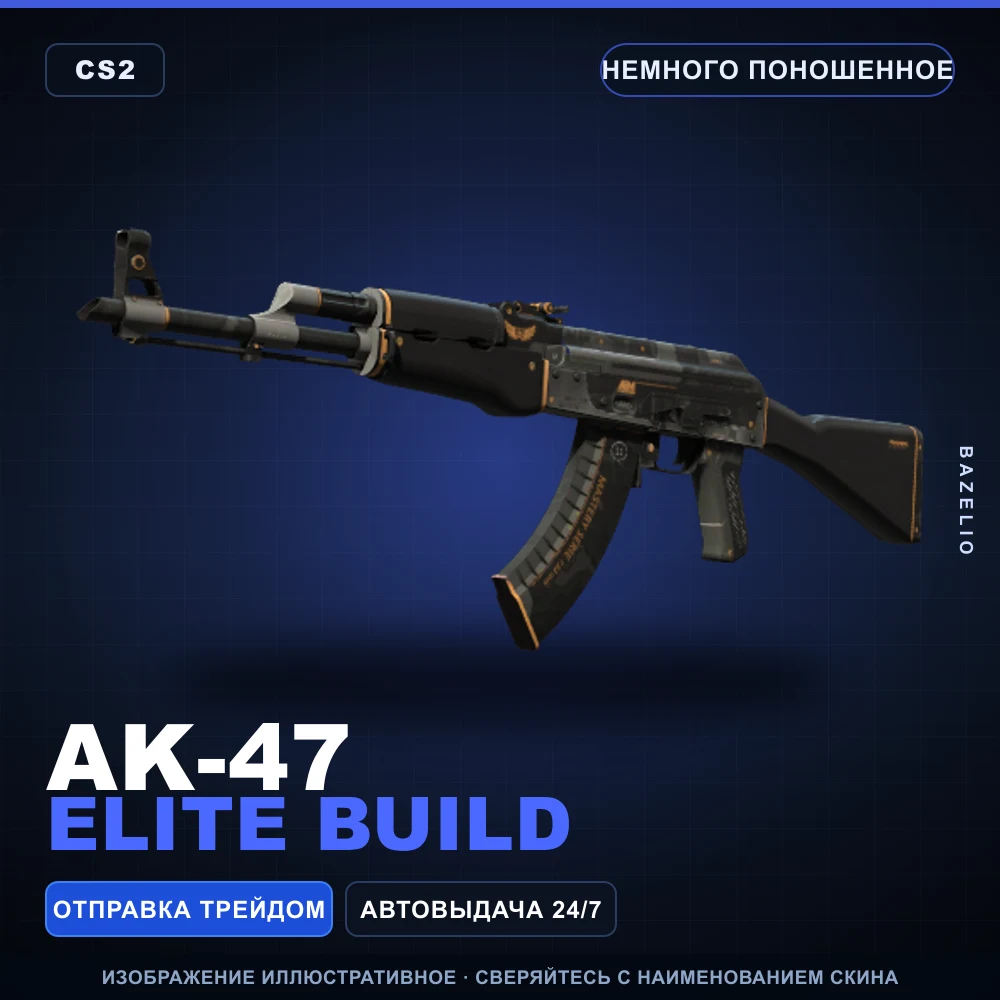
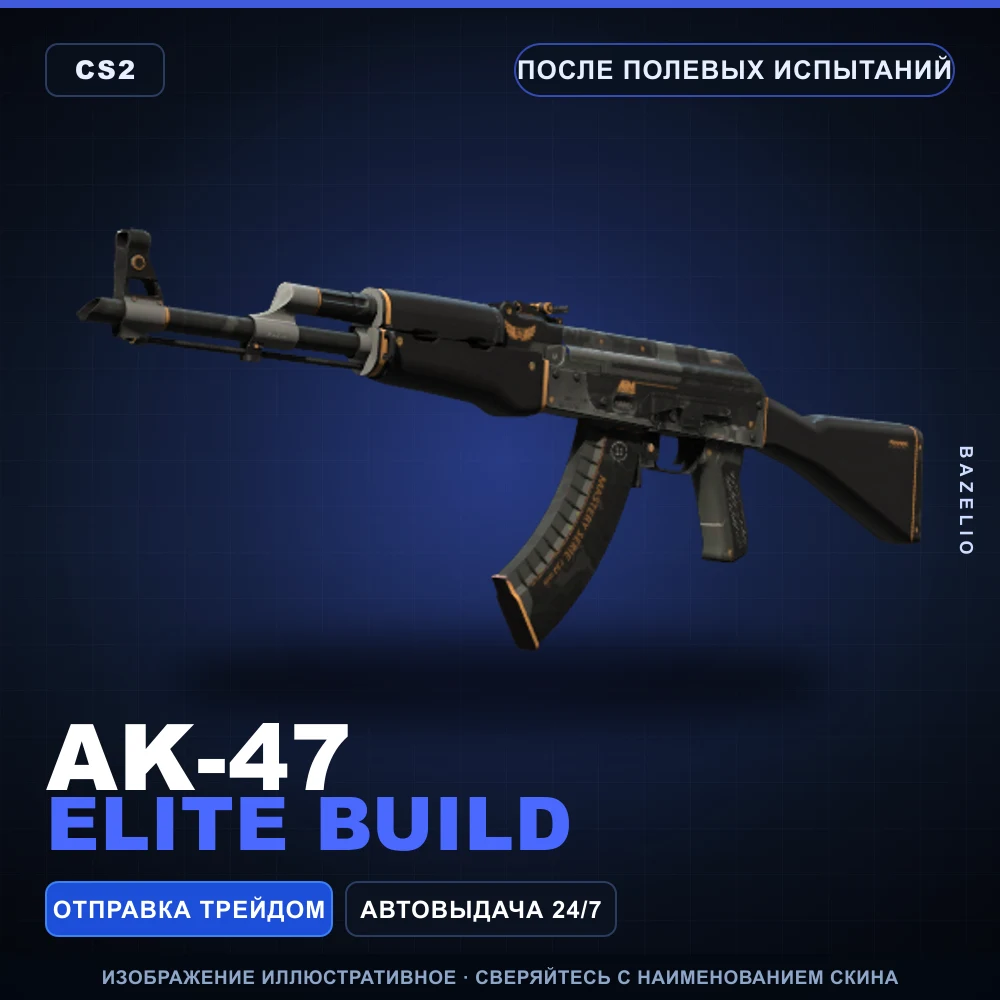
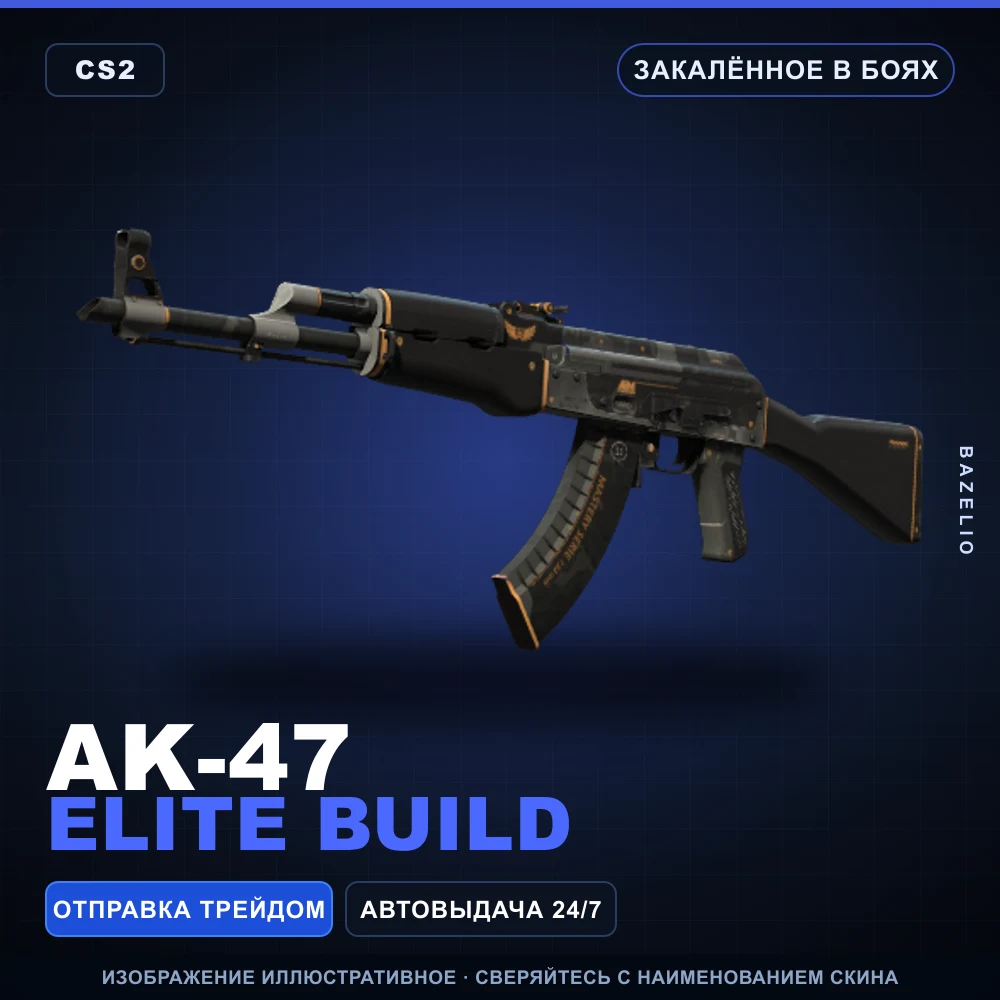
The name follows the pattern weapon | finish | exterior. AK-47 | Elite Build, for example, is available in several exteriors:
Decide which weapon you want, then choose the finish. Compare exteriors only after that. This turns thousands of catalogue pages into a small, manageable set of options.
2. What the exterior means
The exterior describes visible wear. The catalogue uses five levels, from the cleanest to the most worn:
| Label | Practical meaning |
|---|---|
| Factory New | The cleanest appearance among the available exteriors |
| Minimal Wear | Light wear; often a useful balance between appearance and price |
| Field-Tested | More visible wear, commonly at a lower entry price |
| Well-Worn | Pronounced signs of wear |
| Battle-Scarred | The most heavily worn exterior |
A cleaner exterior does not improve damage, accuracy or any other gameplay statistic. You are paying for appearance and the scarcity of that particular variant.
A Bazelio product page guarantees the weapon model, finish and exterior stated in the title. A particular float value or pattern index is not guaranteed unless the listing explicitly says otherwise. Do not infer an exact pattern from an illustrative cover image.
3. Standard or StatTrak
StatTrak is a separate item version with an integrated counter. The official Steam Community Market description says that StatTrak weapons track confirmed kills while equipped by their owner.
StatTrak AK-47 | Elite Build | Field-Tested and the standard AK-47 | Elite Build in the same exterior look similar, but they are distinct items.
Choose:
- standard when you primarily want the finish and a lower entry point;
- StatTrak when you value the personal counter and accept the usual premium for that feature.
You can verify the feature on the official StatTrak AK-47 Steam Community Market page.
4. How the item is delivered
CS2 skins listed by Bazelio are delivered to your Steam account through a trade offer. Your login and password are not required. The seller needs a current trade URL.
Before paying, confirm that:
- your Steam inventory is public;
- Steam Guard Mobile Authenticator has been enabled for at least seven days, as required by the current product pages;
- the account has no active trading restriction;
- the trade URL has not been reset since you copied it.
Find the URL under Inventory → Trade Offers → Who can send me Trade Offers? A valid address begins with https://steamcommunity.com/tradeoffer/new/ and contains partner and token parameters.
Purchase sequence
- In CS2 skins, choose the weapon, finish, exterior and whether you want StatTrak.
- Open the page and verify the complete item name once more.
- Continue to the payment platform, pay and provide your current trade URL.
- Wait for the offer in Steam.
- Before accepting, inspect the weapon, finish, exterior and StatTrak status inside the trade offer.
- Accept only after that comparison.
Steam recommends checking both the contents and the other participant in every offer. Every item should remain within a single Steam trade; a request to move part of the transaction outside Steam is a reason to stop. See Steam’s recommended trading practices.
Avoid paying for the wrong thing
- Compare multiple exteriors of one finish instead of unrelated skins.
- If minor wear does not bother you, start with Minimal Wear or Field-Tested.
- Do not pay extra for StatTrak when you do not want the counter.
- Do not expect a particular float, pattern or sticker placement unless the listing promises it.
- Pay only after your inventory and Steam Guard are ready for a trade.
Start browsing
Open the CS2 skin catalogue, filter by weapon and model, then compare the available exteriors. Stock and prices follow supplier inventory, so verify the final item details on its live page immediately before paying.
Bazelio is a storefront: the payment platform handles payment and the seller sends the item through Steam. Refund options are limited after a trade offer is accepted, so read the individual listing’s terms in advance.