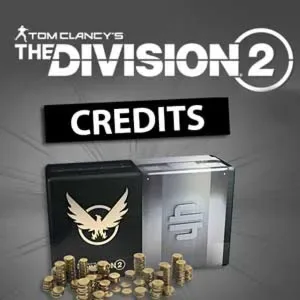
The Division 2 — credits for PC and Xbox (500–14000)
The Division 2 in-game credits top-up for PC and Xbox: from 500 to 14000, the seller adds the currency by logging into your Ubisoft account.
Type: PC Games
- Type
- Game
- Delivery
- Top-up
- Seller
- meleeme
Bazelio is a storefront-aggregator. Payment, delivery, refunds and support depend on the seller and the payment platform. Check the terms of the specific offer before buying.
Credits are the in-game currency of Tom Clancy's The Division 2, used to buy cosmetics and items in the in-game store. The top-up is available for PC and Xbox in amounts from 500 to 14000. The seller logs into your Ubisoft account and purchases the credits, after which they become available in the game.
What you get
- The chosen amount of The Division 2 credits on your account (PC or Xbox).
- Crediting via the seller logging into your Ubisoft account by the guide.
- Support for accounts of any region (on the seller's terms).
- A warranty and seller support on the seller's terms.
Important conditions
- Crediting needs a temporary seller login to your Ubisoft account — review the rules in advance.
- Delivery happens during the seller's working hours; the average time is 15–30 minutes, sometimes longer.
- Buying in-game currency is governed by the game's rules — the buyer is responsible for its use.
- The top-up and support come from a third-party seller; refunds are not offered.
Before you pay, check
- The platform (PC or Xbox) and the credit amount you need.
- That you are ready to provide login data for the Ubisoft account.
- The seller's description, warranty and terms on the payment page.
Reviews 100+
-
все отлично, рекомендую!
-
Все быстро и качественно! Рекомендую
-
Быстро
-
Быстро доставлено, отличный сервис
-
Все сделали за 5 минут.
-
Достаточно быстро получил нужную сумму кредитов, спасибо продавцу
-
Все очень славно,продавец хороший
-
все быстро и качественно
No reviews yet
Frequently asked questions
Is the key activated on my account?
Yes, keys and gifts are usually activated on your own platform account (Steam, Epic, etc.) and stay with you. The exception is the “shared account” format, which is stated separately on the card.
What if the key is wrong for my region?
The activation region is stated on the card — verify it before paying. If the key does not activate, contact the seller on the payment platform: they handle delivery and warranty.
How fast will the key arrive?
Items marked “Instant” deliver the key right after payment. The delivery method and timing are stated on the product card.
Related products
View all
Recently viewed
Your purchase opened in a new tab
Subscribe to the channel — deals and new keys so you don't overpay next time.