AI
AI for 3D models: how to buy access to Meshy and more
AI 3D model generators on a marketplace: Meshy AI, Tripo and Rodin — subscription on your own account or a ready account, and what to check before paying.
On this page
AI 3D tools have reshaped modelling: from a text prompt or a single image they build a finished mesh with textures in minutes — work that used to take hours by hand. The best-known service here is Meshy AI, with Tripo and Rodin close behind. Paid tiers lift the limits of free access: more generations, higher detail, exports into usable formats. Let’s look at what these tools do and in which formats access to them is sold in the catalogue.
What these services are
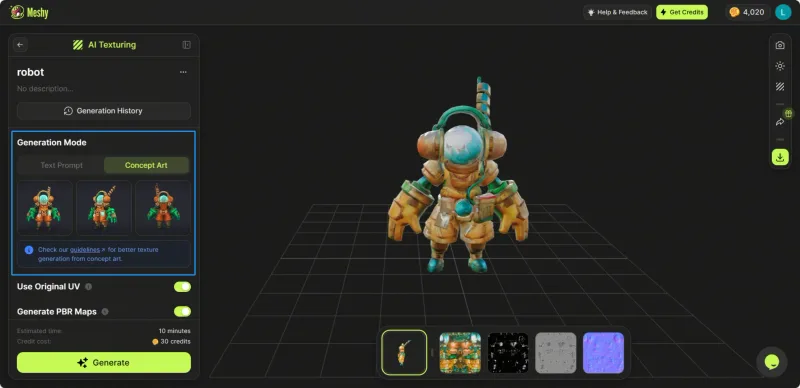
Meshy AI generates 3D models from a text description or a reference image: it builds the mesh, applies textures automatically and prepares the model for export. Cards mention Pro, Studio and Unlimited Max tiers, which differ in the number of generations and the features available.
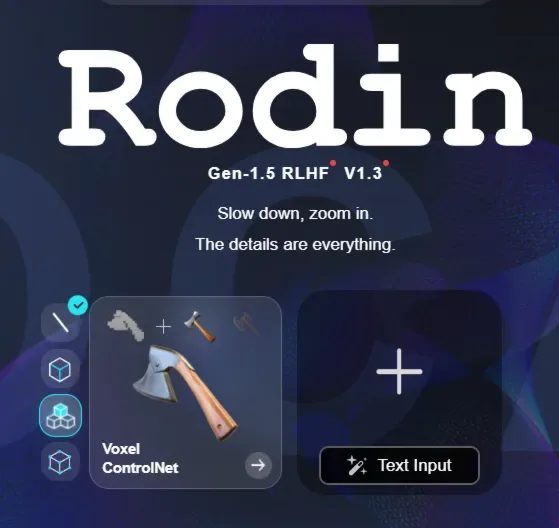
Tripo 3D AI is a similar generator with Pro, Advanced and Premium tiers. Rodin AI Creator (Hyper3D) is another 3D-generation service, sold as short-term credit packs. The idea is the same everywhere: you describe an object or upload an image, and the model returns a ready 3D asset.
Purchase formats in the catalogue
Offers differ in mechanics: the subscription is set up on your own account, or you receive a ready account with the tier already active.
Subscription on your own account
Meshy AI — 1-month subscription (Pro / Studio) sets up a month of access with the Pro or Studio tier chosen in the card options. Meshy AI Pro — 3D model generator, 1-month subscription focuses on the Pro tier. Meshy AI — Pro / Studio / Unlimited Max subscription on your account adds the top Unlimited Max tier, while Meshy AI — Pro / Studio subscription for 1 month is another monthly offer with the tier chosen in the options.
Related services work the same way: Tripo 3D AI — Pro, Advanced or Premium subscription, 1 month gives a choice of three tiers, and Rodin AI Creator (Hyper3D) — 7-day subscription is short-term access with a credit pack. Per the seller’s description, check whether access to your service account is needed.
Ready account with a subscription
Meshy AI 3D — account with a subscription (3–30 days) — here you receive an account with the tier already active, for a term ranging from a few days to a month. A handy format if you’d rather not attach a subscription to your own profile.
Comparison
| Offer | Service | Format | Term |
|---|---|---|---|
| Meshy Pro / Studio | Meshy AI | Subscription on your account | 1 month |
| Meshy Pro | Meshy AI | Subscription on your account | 1 month |
| Meshy Pro / Studio / Unlimited Max | Meshy AI | Subscription on your account | 1 month |
| Meshy Pro / Studio | Meshy AI | Subscription on your account | 1 month |
| Tripo Pro / Advanced / Premium | Tripo 3D AI | Subscription on your account | 1 month |
| Rodin Creator (Hyper3D) | Rodin AI | Subscription (credits) | 7 days |
| Meshy 3D account | Meshy AI | Ready account | 3–30 days |
What to check before paying
- The tier in the card options. Pro, Studio, Unlimited Max, Advanced or Premium are separate options of one card; confirm your choice before paying.
- The access format. A subscription on your account or a delivered account — this decides whether you hand over login details.
- The term and what the tier includes per the seller’s description — the number of generations and available features vary between plans.
- The delivery order. Some offers require sending a unique code to the seller in the order chat.
- The warranty, refund rules and reviews on that particular seller’s card.
If you’re weighing “subscription on your own account” against a ready account, see the guide “Shared account, personal account or key”. For AI that makes 2D images instead, there’s a separate guide to image generation.
Bazelio is a storefront: the seller accepts payment on a payment platform and is responsible for delivery, warranty and support. If something goes wrong, the steps are on the “Refunds and disputes” page, and other AI tools are gathered in the AI tools category.