How-to
The unique code and seller chat: how digital goods get delivered
What the unique code you receive after payment is for, why you send it to the seller in the order chat, and what determines delivery time.
On this page
Many product descriptions include the phrase: “after payment, send the seller your unique code in the order chat”. For a first purchase that sounds odd — what code, what chat? In fact it’s the standard mechanic of the payment platforms behind digital marketplaces. Let’s walk through it step by step so delivery holds no surprises.
Two delivery scenarios
- Instant (automatic). Right after payment the system shows the goods automatically: a key, a code or access details. No seller involvement needed; works around the clock.
- Manual. The seller fulfils the order personally — for example, activates a subscription on your account or sets one up on a new account. This is normal for service-type products: activation on someone’s account can’t be automated.
Which scenario a specific product uses is stated on its page, in the offer conditions.
What the unique code is
After payment, the platform issues the buyer a unique purchase confirmation code. It does two jobs:
- it proves to the seller that the order was paid by you;
- it starts the clock: once the seller receives the code, fulfilment begins.
Until the code is sent, the seller doesn’t see the order as “ready to fulfil” — so with manual delivery, sending the code is the first thing to do after paying. The code is meant only for the chat about your own order — don’t publish it or pass it to anyone else.
The seller chat
The chat is a built-in channel on your order page on the payment platform. In it:
- you send the unique code and whatever details the listing’s instructions require (for example, the login for activation);
- the seller returns the result — activation confirmation, access details, instructions;
- the full history of the deal is preserved — and it’s your main evidence if things ever reach a dispute (what to do then is described on “Refunds and disputes”).
Order questions belong here too: it’s faster and more reliable than chasing the seller anywhere else.
Delivery times
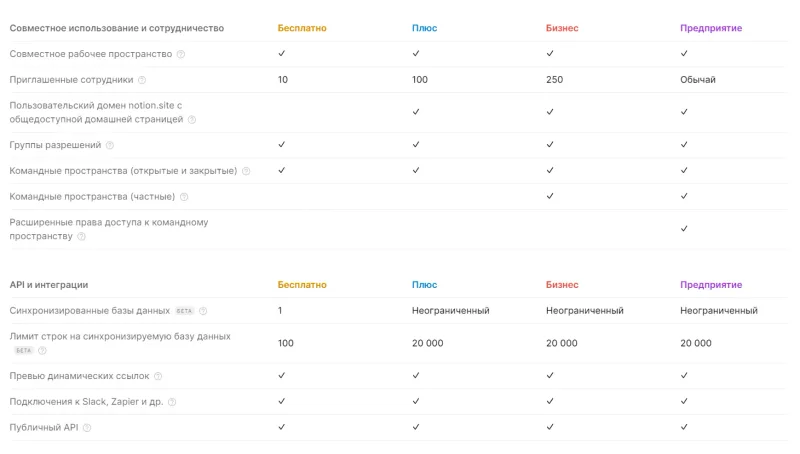
Manual delivery always has a window — from 15 minutes to several hours; some sellers list working hours. Examples from the catalog: Coursera Plus for 7 days — delivery within 12 hours after the code is sent; Duolingo Super for 1 month — after the code you’ll also share sign-in details, and change the password once done; Notion Plus / Business and Epidemic Sound — delivered against a 16-digit code; Zoom Workplace Pro — activation on your account using the code and sign-in details.
If a seller asks for your account sign-in details, that’s part of the “activation on your account” format — change the password after the order is complete. How the access formats differ is covered in “Shared account, personal account or key”.
What to check before paying
- The delivery method on the product page: instant or manual.
- The delivery window and working hours of the seller — so you’re not waiting overnight for something delivered by day.
- Which details fulfilment requires: just the code, or also a login/email.
- Reviews — the seller’s real delivery speed shows up exactly there.
Bazelio is a storefront: payment is taken by the seller on the payment platform, and the seller handles delivery and support. The full purchase journey is described on “How Bazelio works”, and the catalog lives in the Subscriptions and Software sections.